
The short answer
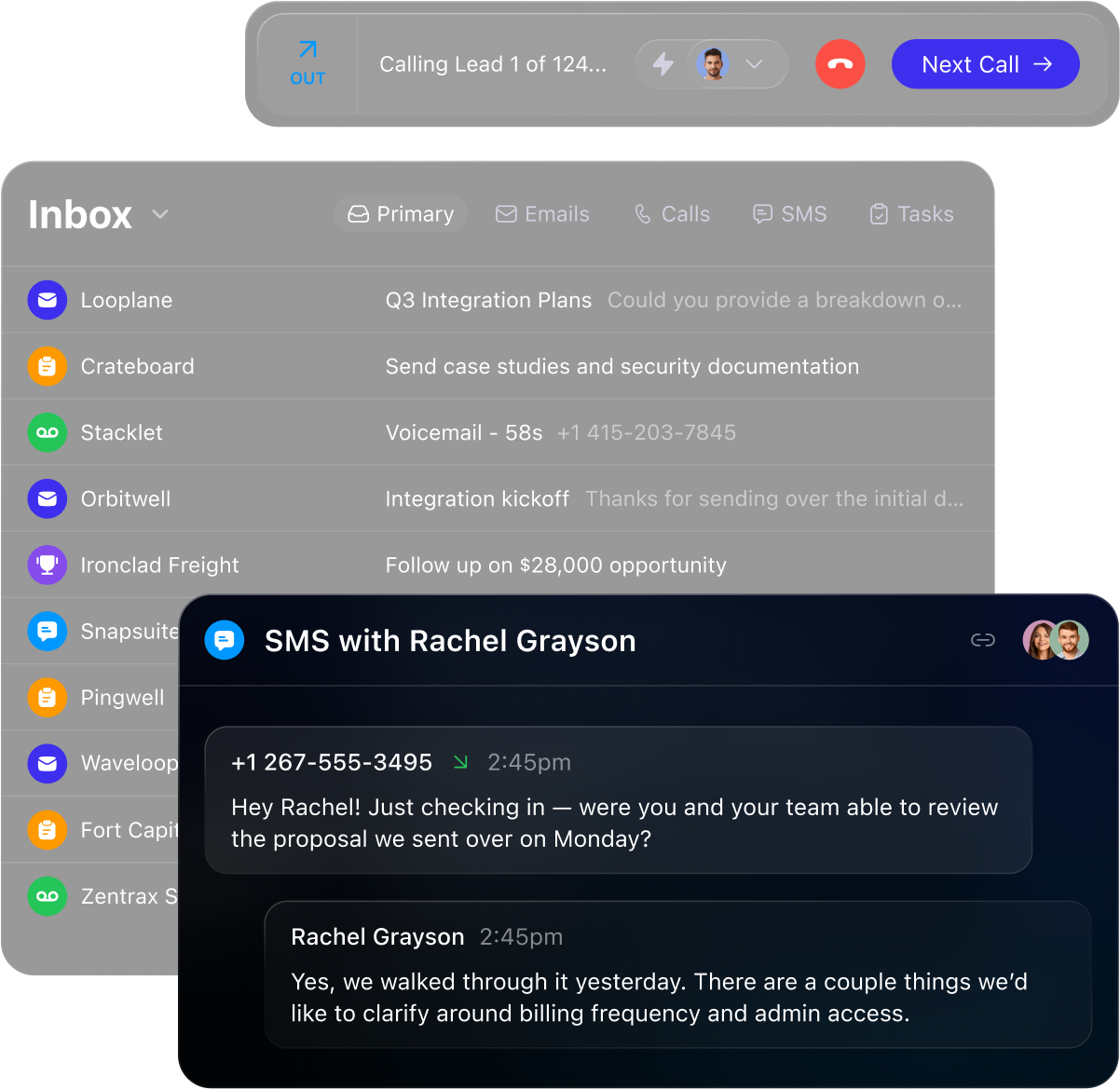
- Close deserves a place on a small sales team’s shortlist when calls, email and texts drive the sales process. Close’s communication page documents those channels in the CRM.
- Choose the plan around the work: Close pricing lists Essentials for team communication, Growth for automated Workflows and the Power Dialer, and Scale for additional controls and predictive dialing.
- The attraction is a connected sales workflow. Whether that reduces administration for your team is something to measure in a trial.
Where Close makes the clearest case
A salesperson finishes a call, sends a relevant email, agrees a next step and later checks whether it happened. When those actions live in separate systems, the manager has to reconcile the story. Close is worth considering when the team wants communication and deal work to share a home.
Close documents native calling, email and SMS. That makes its case especially clear for inside-sales teams that spend much of the day talking to leads. We would put it on the shortlist for that workflow before choosing a CRM solely for its pipeline board.
A team that only needs a shared contact list may have less reason to pay for this communication focus. Start with the lightweight CRM comparison if the buying question is broader.
Build the follow-up around the conversation
Close’s Workflow documentation includes email, SMS, call tasks, user assignments and record updates. A sequence can therefore describe both the communication and the work needed to move an opportunity forward.
That is a useful design for a small team: a missed call can lead to an email, with a later call task assigned to the seller. Define ownership and the intended next action before adding more steps. The value comes from a sequence the team understands and maintains.
A call step assigned to a salesperson creates a task; it is not a promise that software will conduct that conversation. The documentation distinguishes required and optional call steps. Test both with synthetic records so an unfinished task does not leave the team guessing.
Choose a team plan before comparing prices
| Plan | Monthly billing | Annual billing, per user/month | Relevant distinction |
|---|---|---|---|
| Essentials | $49/user/month | $35 | Team communication; automated Workflows excluded |
| Growth | $109/user/month | $99 | Automated Workflows and Power Dialer |
| Scale | $149/user/month | $139 | Lead visibility rules, advanced permissions and predictive dialer |
Source: Close: plans and pricing
Annual rates imply an annual commitment; they are not month-to-month prices. Solo is limited to one user and should not be used as the headline price for a team buying decision.
For three users, Essentials is $105 per month equivalent on annual billing, or $1,260 per year before variable charges. Growth is $297 per month equivalent, or $3,564 per year. These are seat-cost calculations, not complete quotes. Calling, numbers, SMS and additional AI use can change the bill.
A concrete follow-up design to evaluate
Start with a lead who has requested a conversation. Define the owner, the next action and the outcome that should end follow-up. Then build the smallest sequence that supports that process.
Close Workflow steps can combine email, SMS and call tasks with updates to lead and opportunity records. For a seller-led process, an email can explain the next step, a call task can assign the conversation, and a later task can prompt a review.
Decide which actions are required before a run continues. A required call step is useful when the team needs an attempt recorded before later outreach. An optional step can prevent the queue stalling when the process permits moving on. Test those choices against the documented behavior.
A useful acceptance test includes a reply between steps, a changed owner and an incomplete call task. Record the expected result before running each case. This is a proposed evaluation exercise, not a workflow we have configured or tested in a Close account.
Connect activity to the pipeline decision
Close’s Activity Overview report supports filters for users, dates and Smart Views, with selectable activity metrics and exports. That is useful for asking whether a defined group of leads received the expected sales attention.
The Opportunities List supports filters, custom columns and calculations on numeric fields. Use it to inspect opportunities by owner or stage and to identify the subset a manager needs to review.
Read activity alongside deal progress. More calls do not by themselves establish better sales outcomes. For a trial, choose a lead segment, inspect its recent activity, then review the associated opportunities and missing next actions.
The Opportunities documentation describes a transition from a legacy view with some differences in available grouping and totals. If a compensation or management report depends on those functions, reproduce it on the version your account actually uses.
Separate permission to act from permission to see
Close’s role guide says Essentials and Growth include predefined roles. Scale allows custom roles to be created and edited. A team does not need to assume that every user on a lower plan has identical administrative powers.
Record visibility is a separate buying question. Current pricing places lead visibility rules on Scale. Give Close the precise requirement, such as a seller seeing only an assigned set of leads, and confirm the eligible configuration.
In the trial, sign in as an ordinary seller and inspect both an allowed record and a record that should be restricted. Also test who can export, bulk-edit or change shared configuration. An administrator’s successful test does not establish a seller’s permissions.
Plan the move and the eventual handoff
Before importing, map companies, contacts, opportunities, owners and the history the team needs. Move a small synthetic sample first. Check relationships and field values in the destination rather than counting imported rows alone.
Close’s user-management guide explains that removing a user stops workflows sent from that user and disables associated API keys. Arrange reassignment and reconnect dependent integrations before removing a seller or administrator.
The same guide recommends exporting account data before cancellation and arranging number porting with the new carrier if phone numbers must move. Include these steps in the exit plan while the account and its administrators are still available.
This is one reason Close’s shared communication model deserves a serious trial: the team can evaluate conversations and next actions together. It also means account ownership, sending identities and phone-number management deserve clear operational owners.
Use a short, realistic trial
- Prepare a representative set. Use synthetic leads with two contacts, a clear owner and an open opportunity. Include an overdue task and a reassignment.
- Run one ordinary sales cycle. Place a test call, send an email, inspect the history and create the next action. Ask another user to explain the account from its record.
- Test the intended automation. On an eligible plan, create a short email, call-task and SMS Workflow. Check sender identity, timing and behavior after a reply before enrolling real prospects.
- Check the expensive exception. Test the permissions you need, destination countries and number requirements. Record actual billable usage and obtain a written estimate.
- Judge the workflow. Record time spent finding context, entering notes and recovering overdue work. Compare with the same tasks in another CRM.
Use the Close CRM trial worksheet to record the plan, expected behavior, evidence and unresolved questions for each task. The worksheet is an evaluation template; it contains no measured product results.
What to resolve before you buy
Native communication does not mean unlimited usage. Close pricing separates seats from calling and SMS charges and AI usage. Budget from the countries, numbers, minutes and messages the team expects to use.
Close’s SMS documentation requires an SMS-capable number and describes country support and message segmentation. Confirm that the numbers and destinations needed for your process work before committing.
Check record access with an ordinary seller account. Close pricing places lead visibility rules on Scale; the role guide distinguishes predefined roles on Essentials and Growth from custom roles on Scale. Confirm both needs before choosing a plan.
Use a decision record the team can revisit
| Decision | Evidence to collect | Pass condition to agree before the trial |
|---|---|---|
| Conversation context | The same call, message and next action viewed by a second seller | The next owner understands what happened and what to do |
| Automation | A synthetic lead moving through the intended steps and exceptions | Timing, ownership and stopping behavior match the written process |
| Access | Seller and administrator checks on permitted and restricted work | The intended plan enforces the required boundaries |
| Management | A reproducible activity and opportunity review | The manager can answer the agreed question without rebuilding the history |
| Total cost | Written seat, usage and implementation estimate | The complete budget fits and the expected benefit is specific |
Source: Close: Workflow steps, Close: roles and permissions, Close: Activity Overview report, Close: Opportunities List view, Close: plans and pricing
Choose Close when its conversation-centered design solves the friction the team identified and the trial supports that judgment. Keep the accepted tradeoffs and unresolved questions alongside the price so the team can revisit the decision after real use.
Compare Close with the workflow you would replace
Use Close vs Pipedrive when deciding between native communication and a pipeline with a separate calling provider. Use Close vs HubSpot when HubSpot’s connected sales process is already part of your operation.
Close vs Freshsales is the cost-conscious comparison: both deserve consideration for phone-led sales. Choose after running the same work, rather than assuming a higher subscription buys a better result.
Other lightweight CRM for small sales teams we checked
 FreshsalesCRM with native calling and plan-dependent sales sequences.
Consider it when calling and follow-ups share a CRM.
 HubSpotCRM with connected-inbox sequences on eligible subscriptions.
Consider it when sequence emails should come from a seller inbox.
 PipedrivePipeline-led CRM with plan-dependent field rules.
Consider it when sellers work from deal stages.
Watch the vendor walkthroughs
These are vendor-published walkthroughs. They illustrate the product; they are not our independent tests. Use the written analysis and current documentation to check plans and availability.
Full Close CRM Tutorial 2026 (Best CRM for Small Businesses)
CRM Workflows: Automate Inbound Lead Follow-Up | Close CRM
Common questions
Is Close suitable for a small sales team?
It is a strong candidate when sellers need calls, email, SMS and deal context together. That fit follows the documented communication design; ease of use still needs a team trial.
Does Essentials include automated Workflows?
No. Current Close pricing excludes Workflows from Essentials and includes them on Growth and Scale.
Is calling free because it is built in?
No. Close pricing describes usage-based calling and SMS in addition to subscription seats.
Sources and scope
This guide is based on the linked vendor documentation checked November 6, 2026. We have not performed a hands-on product trial.
Recommendations are editorial judgments about documented workflow fit. They are not measured claims about productivity, deliverability or sales results. Prices are USD list prices; confirm billing terms, availability and usage costs.
Sponsorship never changes this page. How we research.
Sources
- Close: plans and pricing
Checked 2026-11-06. Subscription plans, billing cadence, team eligibility, workflow and dialer availability, usage charges. Pricing takes precedence over older plan names on feature pages.
- Close: communication
Checked 2026-11-06. Native calling, email and SMS. Older plan names on this feature page are not used for current plan eligibility.
- Close: Workflow steps
Checked 2026-11-06. Email, SMS, call tasks and operational steps; assignment and required versus optional call behavior.
- Close: SMS and MMS
Checked 2026-11-06. SMS-enabled number requirements, supported countries, segmentation and MMS limitations.
- Close: roles and permissions
Checked 2026-11-06. Predefined roles on Essentials and Growth; custom-role creation and editing on Scale. Roles control actions and must be distinguished from lead visibility.
- Close: Activity Overview report
Checked 2026-11-06. Activity filtering by Smart View, user and date; selectable metrics and export to CSV or JSON.
- Close: Opportunities List view
Checked 2026-11-06. Opportunity filtering by owner, pipeline and fields; column customization and numeric calculations; transition from legacy report.
- Close: managing users and cancellation
Checked 2026-11-06. Reassignment and offboarding; workflows stop when their sending user is removed; associated API keys are disabled; export and port numbers before cancellation.
- Close: Workflows
Checked 2026-11-06. Vendor overview of sales automation; screenshots are illustrative vendor interface examples. Current pricing establishes plan eligibility.
- Close: Full Close CRM Tutorial 2026 (Best CRM for Small Businesses)
Checked 2026-11-06. Official Close YouTube video; publisher identity confirmed by YouTube oEmbed and watch page. Publication date read on expanded watch-page description. Vendor illustration, not independent testing.
- Close: CRM Workflows: Automate Inbound Lead Follow-Up | Close CRM
Checked 2026-11-06. Official Close YouTube video; publisher identity confirmed by YouTube oEmbed and watch page. Publication date read on expanded watch-page description. Vendor illustration, not independent testing.
Images in the header
- Communication inbox with calls, email and SMS
Close's own image from close.com, fetched November 6, 2026. Figures in it are the vendor's examples, not our results.
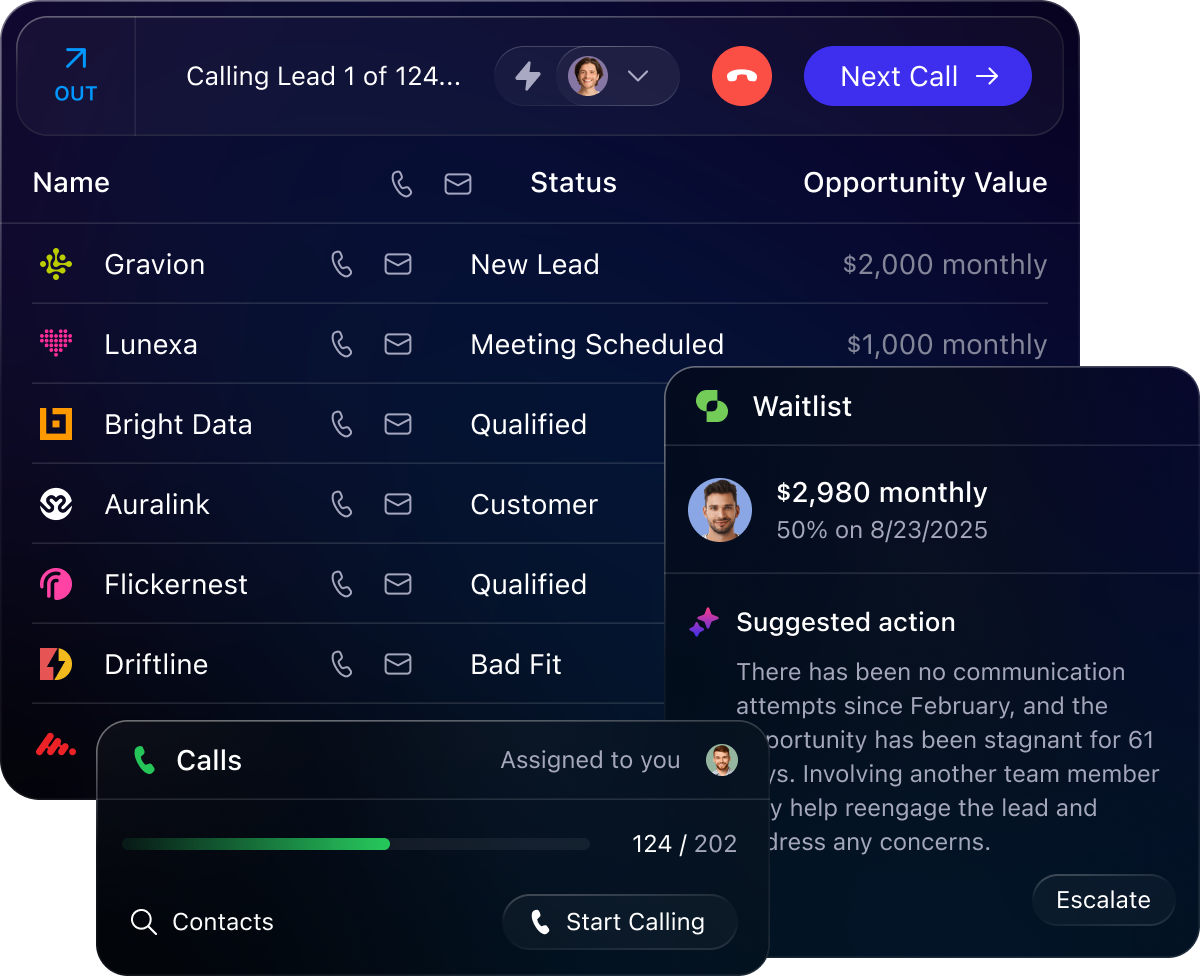
- Lead list and call-management controls
Close's own image from close.com, fetched November 6, 2026. Figures in it are the vendor's examples, not our results.